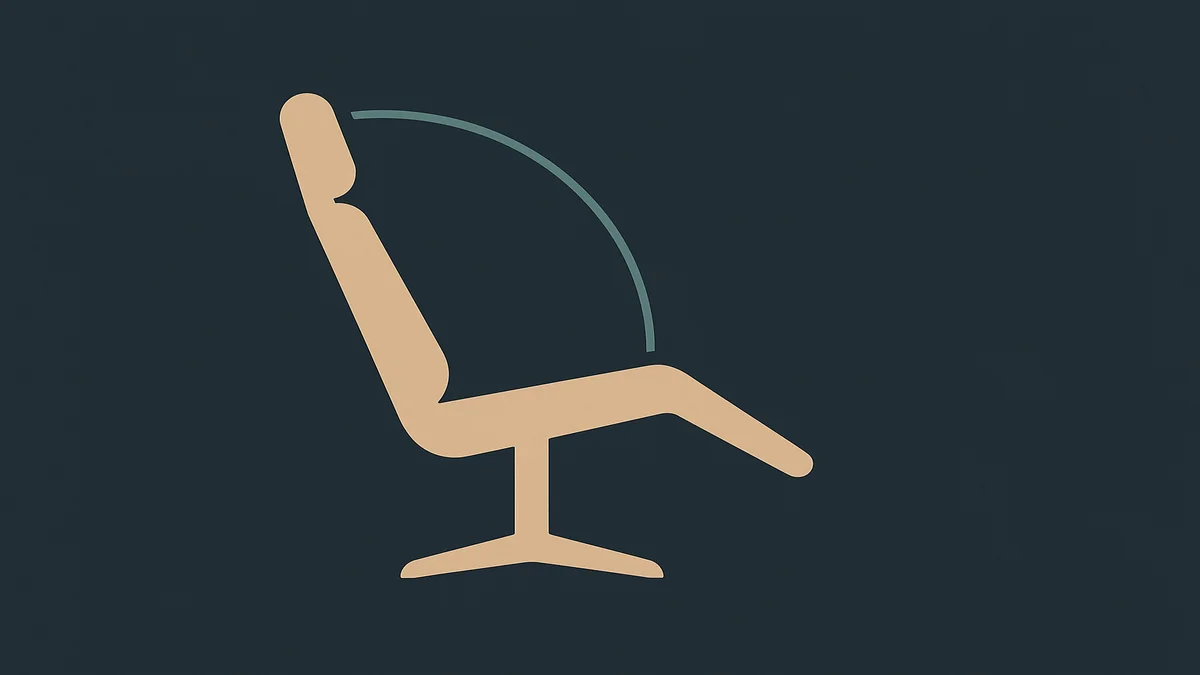
Office chair recline angle is the angle between your torso and thighs while seated, and the evidence-backed working range is about 100 to 110 degrees, not the upright 90 degrees most people assume. Cornell’s ergonomics research summary puts it directly: a reclined posture of 100 to 110 degrees is associated with less postural muscle activity and lower lumbar disc pressure.
The number needs unpacking, because “recline” sounds like lounging and 100 to 110 degrees is not lounging. A 90-degree trunk-thigh angle is the flat-backed, bolt-upright sit most of us were taught. Adding 10 to 20 degrees of recline opens the hip angle slightly and lets the backrest take some of your torso weight instead of your muscles holding the torso vertical all day. That is the whole mechanism: an upright posture is active, held by your back muscles; a slightly reclined posture is supported, held partly by the chair. Cornell’s summary describes the difference in those terms, noting that erect sitting is not relaxed, sustainable sitting, while reclined sitting is.
Two chair mechanisms control the angle. The tilt lock fixes the backrest at a chosen angle; the tilt tension knob sets how much the backrest resists your lean, which matters when the tilt is free. OSHA’s chair guidance treats both as baseline requirements: the backrest should allow the user to recline at least 15 degrees from vertical, and it should lock in place or have tension adjustable enough to give adequate resistance to lower-back movement. Translated from vertical (90 degrees) to trunk-thigh angles, OSHA’s floor is roughly 105 degrees of recline capability, which lands squarely inside Cornell’s recommended band.
The remote-work relevance starts with a confession most remote workers will recognize: at home, the chair competes with the couch, the bed-adjacent futon, and the kitchen stool, and the chair usually loses by noon. The practical version of this article is about making the chair comfortable enough to win those comparisons, and recline is one of the biggest levers, because a chair locked at rigid 90 degrees is exactly the kind of chair that drives people to the sofa.
Why office chair recline angle matters for remote workers
The stakes are muscular, and the remote-work specifics sharpen them.
The core mechanism is muscle load versus chair load. Sitting upright at 90 degrees means your back muscles and spinal ligaments hold the torso up hour after hour, and static muscle effort is fatiguing even when the posture itself looks perfect. Cornell’s summary cites the research pattern: significant decreases in postural muscle activity and in lumbar spine disc pressure when the posture opens toward 100 to 110 degrees. The chair’s backrest becomes load-bearing rather than decorative, which is what a good backrest is for.
The remote-work layer adds a problem offices do not have: unmanaged recline. At home, nobody is watching, the chair has a tilt lock that has never been touched, and the recline that starts as “leaned back to think” drifts into working half-lying at 130 degrees with your neck craned forward toward the laptop. The failure mode is not reclining; it is reclining without support and without a plan. At deep angles the neck has to hold the head forward to keep the eyes on the screen, which loads the neck and shoulder muscles in exactly the way the recline was supposed to relieve. The angle only pays off when the backrest supports the torso, which means the monitor height and the recline have to agree.
A second remote-work wrinkle: the chair you recline in is often not the chair you bought. Partners share it, kids adjust it, and a gaming session leaves the tilt tension cranked to a setting built for a 15-minute sprint, not a workday. If your chair’s recline feels suddenly wrong, check whether the settings are yours before assuming the mechanism failed. It is the same reason a 30-second morning reset is worth building: you are not resetting your posture, you are resetting whatever the last person left behind.
There is also the dynamic-sitting point, and it matters as much as the number. OSHA’s guidance frames the backrest as supporting “a variety of seated postures,” and Cornell’s guidance repeatedly emphasizes movement over any single frozen angle. Locking the tilt at the “correct” angle for eight hours recreates the static problem the lock exists to solve. The working pattern most ergonomics guidance converges on: recline and lock for focused work, release the tilt for calls and reading, and change position throughout the day. The lock is a position, not a policy.
The standing caveat: this is mechanical reasoning about muscle load and disc pressure, not a treatment claim. If you have persistent back or neck pain, recline adjustment is a reasonable thing to try, but symptoms that persist or radiate belong with a clinician.
How to apply it
Find and set the angle
Sit fully back, hips against the backrest, feet flat on the floor. Recline measurements are meaningless from a perched position.
Find the tilt lock, usually a paddle or lever under the right front of the seat, and the tension knob behind it.
Lean back to roughly 100 to 110 degrees, which feels like a slight lean, roughly the posture you fall into while reading something interesting, and lock it there.
Sanity-check against the desk: with your forearms at keyboard height and the recline locked, the monitor should still sit at a height where you are not craning forward or down. If reclining pulls your eyes below the screen top, the monitor needs to rise, not your torso to lean forward.
Set the tilt tension so that with the lock off, the backrest follows your lean with light resistance, not a free swing and not a fight.
Match the angle to the task
Recline is not one setting, it is a small set:
Focused typing and mousing: around 100 to 105 degrees, locked. Enough recline to let the backrest carry load, little enough that your reach to the keyboard stays natural.
Calls, reading, reviewing: release the tilt. Dynamic sitting through long calls keeps your postural muscles from holding one position, and the conversation posture is naturally more open anyway.
Thinking, watching, between-blocks rest: deeper recline, 110 degrees and up, only if the chair supports you. This is the setting premium task chairs earn their price on, and the requirement is real support at that angle, lumbar and upper back, plus a monitor you are not craning toward.
Fix the failure modes
The chair does not recline at all. A fixed upright backrest misses OSHA’s own baseline (at least 15 degrees of recline capability), so if your chair cannot recline, the chair is the problem, not your posture. This is a replacement signal, and our best office chairs guide filters for recline with a lock or adjustable tension.
The chair reclines freely with no usable tension. A free-swinging backrest on a worn tilt mechanism means no resistance and no support, which is both an ergonomics failure and an early warning of mechanism wear; the lifespan failure-order in our chair-lifespan coverage puts tilt mechanisms mid-list for exactly this reason.
You recline but your neck pays for it. The fix is upstream of the chair: raise the monitor so your sight line stays level when you lean back. Cornell’s guidance ties the two together explicitly, recommending the reclined posture plus a monitor positioned for that posture rather than for upright sitting.
You cannot stop fidgeting at any angle. That is usually tension, not angle: a tilt knob cranked too tight makes every lean a push, so nothing feels stable. Loosen it and re-test before blaming the chair or yourself.
If you keep only one habit from this page: re-check your recline angle when you sit down each morning, the way you would check your seat height. Both drift, and the five seconds beats a week of accumulated neck load. The office chair ergonomics hub covers the rest of the adjustments that shape that morning sequence, and the wider home office context, including monitor placement, is the parent guide for all of it. If your hands and arms are part of the picture, the best mouse for work guide picks up where the chair leaves off.
Related guides and tools
The office chair ergonomics hub holds the full adjustment set; recline angle is the last one most people touch and the one that changes how the others feel.
Office chair seat height should be set before recline, because the angle is measured from whatever seat height you are actually sitting at.
The home office hub covers the desk
and monitor side of the setup, which the recline angle has to agree with.
The best mouse for work guide covers the hand and wrist side of a reclined working posture.
Frequently asked questions
What is office chair recline angle?
It is the angle between your torso and thighs while seated. The evidence-backed working range is about 100 to 110 degrees rather than the upright 90 degrees people default to, because slight recline lets the backrest share the load your back muscles would otherwise carry. Controls on the chair are the tilt lock, which fixes the angle, and tilt tension, which sets the resistance when the lock is off.
How do I get started with office chair recline angle?
Sit fully back with feet flat, then lean back to a slight recline, roughly 100 to 110 degrees, and engage the tilt lock. Set the tension so the lock-off backrest follows your lean with light resistance. Check the monitor afterward: your sight line should stay level while reclined, so raise the screen if you find yourself craning forward. Recheck the angle each morning, since tilt settings drift.
What are common mistakes with office chair recline angle?
Sitting bolt upright at 90 degrees on the assumption it is the healthy posture; reclining deeply without backrest or monitor support, which trades back load for neck load; locking one angle for the entire day instead of varying positions; leaving tilt tension so loose the chair swings or so tight every lean is a fight; and never touching the tilt lock at all, which leaves the chair reclining by accident rather than by design.
Sources used
Cornell University Ergonomics Web (CUergo), Ergonomic Guidelines for Arranging a Computer Workstation (100-110 degree reclined posture research summary, disc pressure and muscle activity, armrest and monitor interplay): https://ergo.human.cornell.edu/ergoguide.html