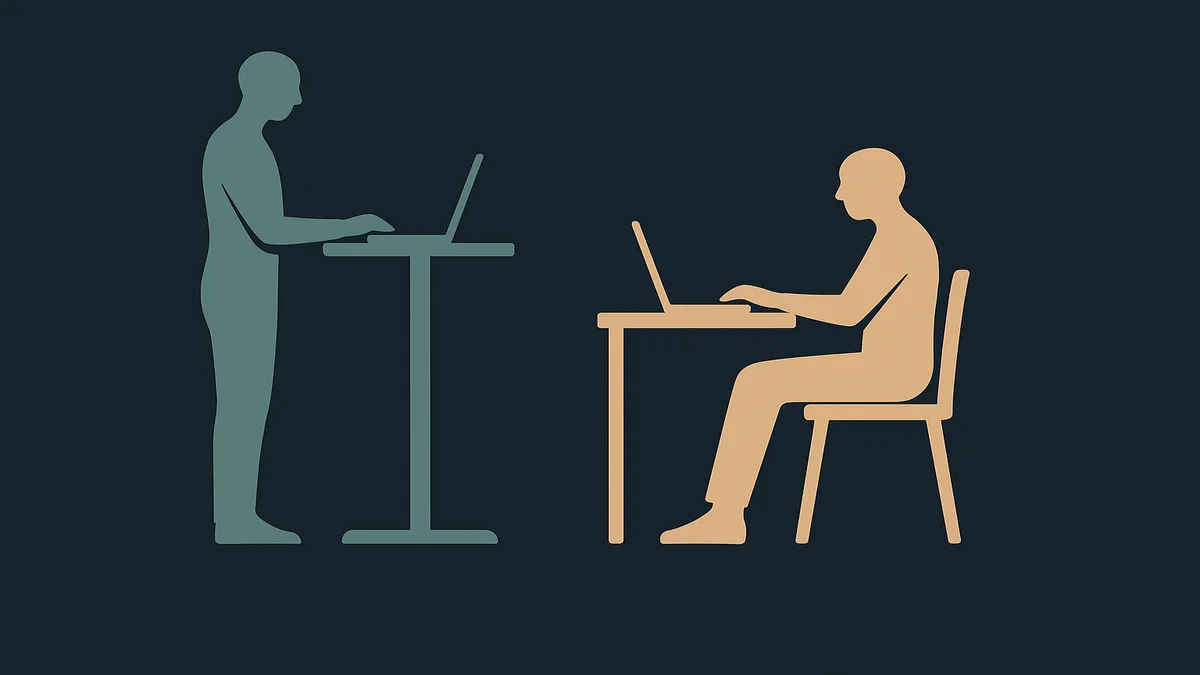
Standing Desk Vs Sitting Desk
Standing Desk Vs Sitting Desk: quick answer
Neither desk is the answer on its own: the evidence-backed position is a sit-stand desk used to alternate between postures, because prolonged sitting and prolonged standing both carry costs, and OSHA’s guidance treats posture variation as the goal. A sitting desk remains right on a tight budget. The real decision is whether your budget buys a desk that lets you change position during the day, and whether you will build the standing habit that makes it worth the premium.

The framing of the question itself is slightly wrong, and correcting it saves money. The choice is not between two destinations; it is between a fixed posture and a changeable one, and that reframe is what the rest of this comparison applies. I have worked from home for over a decade, through a fixed sitting desk, a cheap standing converter, and finally an electric sit-stand desk, and the honest lesson from that sequence is that the standing desk’s value is almost entirely in the sitting mode it lets you leave and return to, not in the standing. Your hands stay on a mouse for as long as your body stays at the desk, so desk posture and hand position are one system; our mouse for work guide covers the contact-point side of that system.
This comparison covers the standing desk vs sitting desk decision with equal criteria on both sides: health evidence, workflow fit, cost, and the failure modes of each. Where prices are stated, they come from vendor pages checked this session as current list prices at the time of writing, with a verify-before-buying caveat. For the wider desk category, the parent hub at desks covers desk types and setup.
Side-by-side feature comparison
| Criterion | Sitting desk | Standing desk (sit-stand) |
|---|---|---|
| Posture variation | Fixed; requires separate breaks to stand | Variable by design; change postures during the day |
| Health evidence | Prolonged sitting is a documented sedentary-behavior risk | Alternating postures is the recommended pattern; standing all day carries its own leg and back costs |
| Focus tasks | Better for precision work, writing, long single sessions | Fine for calls, email, reading; precision tasks usually migrate back to sitting |
| Cost | Low; from about $100 for a basic desk | Higher; electric frames start around $300 to $700 at mainstream retailers, premium brands run to $1,000 or more |
| Setup burden | Minimal | Same, plus cable routing for the moving surface and a power outlet within reach |
| Failure modes | Sedentary drift, sitting through the entire workday | Expensive coat rack: standing mode abandoned within weeks |
Two rows carry the decision. Posture variation is the criterion that OSHA’s guidance supports directly: its workstation eTool lists performing some tasks in standing as one of the recommended posture changes, and its four reference postures include standing alongside three sitting variants. And the failure-mode row is the one most comparisons omit: an unused standing desk is worse than no standing desk, because you paid for the capability and kept the sedentary behavior.
Pricing and value
Sitting desks are commodity furniture: a basic fixed desk starts around $100, and a decent home-office sitting desk lands in the $150 to $400 band. Standing desks split into three tiers. Manual (crank or converter) units start lower, converters that sit on top of an existing desk run roughly $150 to $350, and full electric sit-stand frames start around $300 to $700 at mainstream home-office retailers, with premium brands from the office-furniture world (Branch, Herman Miller, Steelcase) reaching $1,000 or more configured.
A price caveat, verified this session: Branch lists its Duo standing desk starting at $549 on its own site as of this writing, and its Ergonomic Chair line at $369 to $499, which gives a sense of the premium-tier home-office band; those figures move with sales, so treat them as reference points and verify before buying. I did not verify figures for Herman Miller or Steelcase standing desks this session, so no specific numbers for those brands are quoted here.
On value, the honest arithmetic: a standing desk’s premium over a sitting desk buys the option to vary posture, and its value depends entirely on use. If you alternate postures through the day, the premium buys a real health-relevant behavior change and costs less per year of use than most ergonomic upgrades. If the standing mode goes unused after month one, it was the most expensive way to buy a normal desk. No vendor publishes usage-rate data for their desks, and I would treat any brand that claims “users stand X percent more” with marketing-grade skepticism; that statistic does not exist in a verified form I could find this session.
Ease of use and workflow fit
Workflow with a sitting desk
A sitting desk fits work that requires fine motor control and long uninterrupted focus: writing, coding, detailed spreadsheets, design work. It supports deep work sessions without the posture-change interruptions that standing introduces, and it pairs naturally with any chair, including the ergonomic chairs in our related guides. Its workflow weakness is invisible: nothing in the setup prompts movement, so the day’s posture is set at 9 a.m. and defended until shutdown. If your chair and desk are both well-fitted, OSHA’s neutral-posture checklist can be satisfied entirely seated, and a disciplined break schedule (every 30 to 60 minutes, per the posture-variation principle in OSHA’s guidance) partially substitutes for a standing desk.
Workflow with a standing desk
A standing desk earns its place in calls, email, reading and administrative work, the tasks where standing adds alertness without degrading output, and in the transition moments: standing for a call, sitting for the analysis after it. The workflow costs are real and worth pricing in: cable management becomes a design constraint because the surface moves, monitor arms replace fixed stands so the screen height works in both postures, and the first week includes a learning curve in the tilt-tension and height presets. Our standing desk setup guide covers the setup sequence that avoids the common mistakes, including the monitor-height issue that makes most first-time standing sessions unpleasant.
The habit problem deserves its own paragraph, because it decides the purchase. Standing desks fail socially, not mechanically: the motor works, and the button never gets pressed. The users who sustain the alternation do it with cues, a recurring calendar block, a habit anchor to a daily event, or a rule like “calls and email are standing,” not with willpower. If you cannot name the cue you would use, assume the standing mode will go unused, and buy on that assumption.
Best for different use cases
Choose a sitting desk when
- Your work is precision-heavy for long blocks (writing, coding, design), where standing adds nothing and interrupts flow.
- Budget is genuinely tight; a $200 sitting desk plus a $30 footrest and a good chair beats a marginal standing desk.
- You already take movement breaks naturally, or work in short bursts away from the desk.
- The desk is secondary to the chair in your current discomfort; replacing a bad chair with a good one typically changes daily comfort more than adding standing does.
Choose a sit-stand desk when
- Your day mixes call-heavy blocks with focus blocks, which is the pattern where alternating postures fits naturally.
- You have a documented sedentary drift problem: you sit through the day and know it.
- You are setting up a home office from scratch and can budget for the electric frame and the monitor arm in one pass.
- You share the desk with household members of different heights, which a fixed desk cannot serve.
Other alternatives worth knowing
A standing converter ($150 to $350) on an existing sitting desk is the low-risk trial version of a standing desk: it adds standing capability without replacing furniture, and its clumsiness is a feature if it keeps you honest about whether you would actually use a full unit. A drafting-chair setup (a sit-stand desk plus a tall chair) solves the fatigue of long standing blocks. And the cheapest intervention of all is a timer: OSHA’s guidance treats frequent short posture changes as the goal, and a recurring 30-minute movement reminder costs nothing.
Key limitations
- Standing is not exercise. The health benefit of standing desks is posture variation and reduced continuous sitting time, not calorie burn or fitness; treating standing as a workout substitute is a misread of the evidence.
- Standing all day is its own problem. Static standing loads the legs and lower back; the evidence-backed pattern is alternation, which is why this comparison recommends sit-stand over fixed standing.
- Monitor height is the hidden cost. A standing desk used with a monitor on a fixed stand fails the neutral-posture test in one of the two postures by construction; a monitor arm is part of the standing desk’s real price, not an optional accessory.
- Standing is not automatically better for your work. Some tasks degrade on your feet: anything requiring fine precision on a surface you lean on, or long reading with annotation. Plan which blocks migrate back to sitting rather than expecting standing to fit everything.
- The usage rate is unknowable in advance. No reliable public data predicts whether you will use the standing mode; the converter-trial route is the honest hedge if you are unsure.
- No posture fixes a badly fitted chair. A sit-stand desk paired with a chair whose minimums do not fit just moves the misfit between two postures; the chair and desk must be solved together, and persistent pain still belongs with a clinician, not with furniture.
Which option should you choose?
Decision sequence, as plainly as I can state it:
- Fix the chair first. A correctly fitted chair satisfies OSHA’s neutral-posture checklist seated; a desk change cannot rescue a chair whose minimum seat height is wrong for you.
- Audit your day honestly. Two days of noting when you sit, stand and move will tell you whether sedentary drift is your actual problem or a hypothetical one.
- If drift is real and your day is mixed, buy the sit-stand desk, including the monitor arm in the budget, and name the cue that will trigger your standing blocks before the desk arrives.
- If your work is precision-blocked or your budget is tight, buy a good sitting desk and schedule the posture changes you already know you should take.
- If you are unsure, buy the converter, and let a month of real use decide whether the full unit is worth it.
The primary thing I would tell anyone standing in front of this decision: the desks hub at home office covers the rest of the desk category, and whichever desk you choose, the neutral-posture test is the same. Th

Frequently asked questions
sitting desk vs standing desk
The honest comparison is not standing versus sitting but fixed versus changeable posture. Prolonged sitting carries documented sedentary-behavior risks, and prolonged static standing carries its own leg and back costs, which is why OSHA’s workstation guidance recommends varying postures through the day, including some tasks in standing. A sitting desk suits precision focus work on a tight budget; a sit-stand desk suits mixed-call-and-focus days and solves sedentary drift, at two to three times the price.
Sources used
- OSHA, Computer Workstations eTool, Good Working Positions (neutral posture, four reference postures including standing, posture variation guidance): https://www.osha.gov/etools/computer-workstations/positions
- OSHA, Computer Workstations eTool, Work Process (posture-change and break guidance): https://www.osha.gov/etools/computer-workstations/work-process
- Branch Furniture, product listings (Duo standing desk starting at $549, Ergonomic Chair $369, Ergonomic Chair Pro $499, at time of writing): https://www.branchfurniture.com/products/duo-standing-desk
- World Health Organization and International Labour Organization, Healthy and Safe Telework technical brief (varying sitting and standing postures, static load, sit-stand training): https://www.who.int/publications/i/item/9789240040977