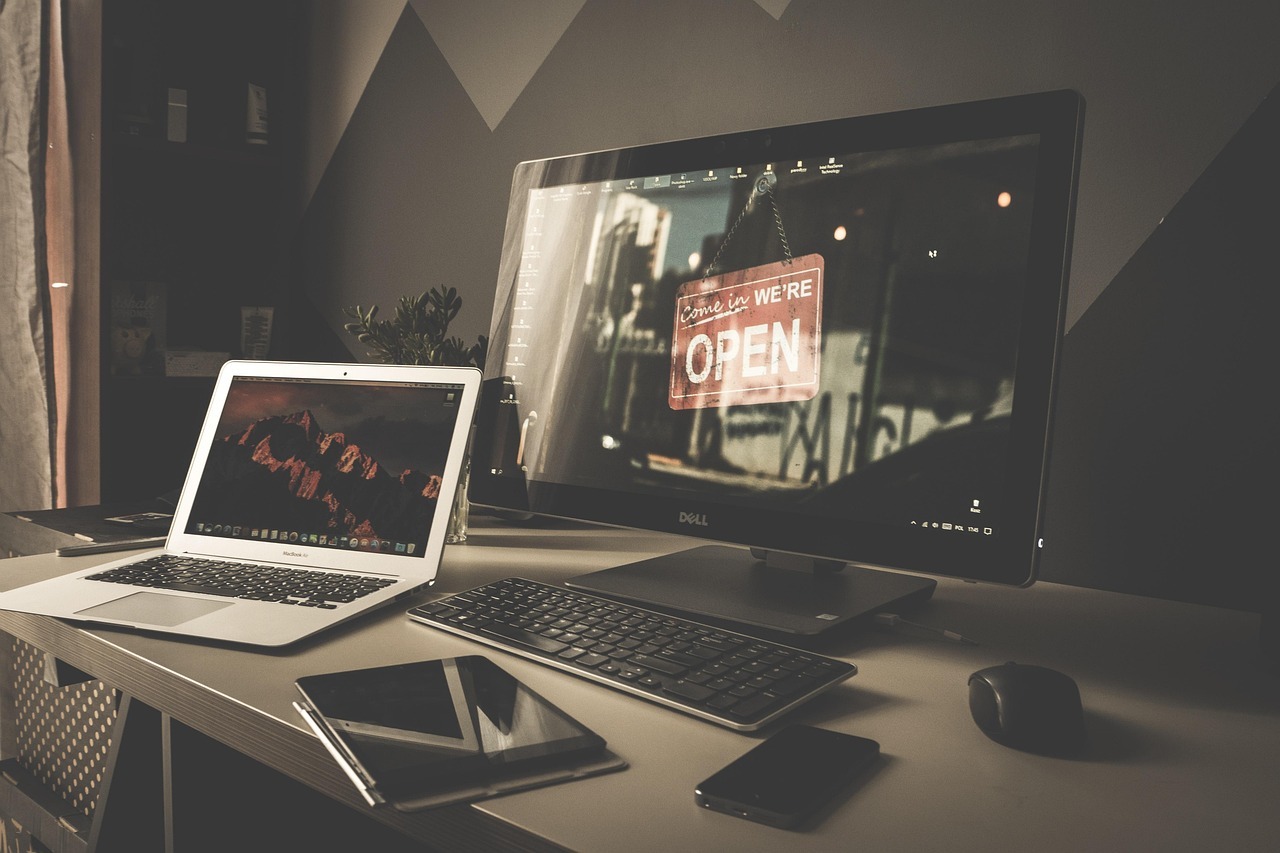
Laptop vs Desktop vs Tablet: Which Setup Works Best for Your Remote Work Style?
So you are trying to figure out the laptop vs desktop drama.
Good. Because nothing wrecks a remote workday faster than tech that taps out before you do.
One minute you’re focused, typing away like a person who has their life together, and the next, your device sounds like it is preparing for takeoff while your spreadsheet freezes mid-sentence.
This post helps you pick the setup that fits your real workload, not the fantasy version where you finish everything by noon and glide into a peaceful afternoon.
Let’s talk through it, friend to friend. Snacks optional. Coffee recommended.
The Real Heart of the Laptop vs Desktop Debate
Most people think laptop vs desktop for work is about price or specs. But the question hiding underneath is simpler.
What does your day actually look like?
Because the wrong device adds stress you do not need.
- Slow software.
- Small screens.
- Weird posture choices that eventually lead to Google searching for “burning neck and shoulder pain.”
The right device takes weight off your workday. The wrong one puts it right back on.
Let’s break down how each device plays into your routine, your workload, and your sanity.
Laptop: Freedom, Flexibility, and Mild Cable Chaos
We all love a good laptop. Portable. Comfy.
Works at a desk or on the couch you promised yourself you would not work from, but here we are.
The Pros
- You can work wherever the sun, mood, or cat allows.
- Easy to fit in small spaces.
- Great for hybrid workers who bounce between home and office.
- Quick setup and lower power use.
HP and Lenovo both point out that laptops win on convenience and are usually cheaper upfront.
The Cons
- Smaller screens strain eyes.
- Performance drops with heavy apps because laptops run hotter.
- Limited upgrades. Once it ages, it ages.
- Built-in keyboards that can feel cramped during long sessions.
If your workload involves lots of multitasking, you will almost always need a monitor. Your neck will thank you. Your productivity will too.
Best For
- Writers and coordinators
- Hybrid workers
- Anyone who wants freedom to roam
- People whose desk and kitchen table rotate jobs daily
Desktop: Power, Stability, and Zero Temptation To Work From Bed
Desktops are the strong silent type.
They sit in one place, mind their business, and handle heavy tasks without complaining or overheating like you during a surprise meeting.
The Pros
- More performance for the same price as a laptop.
- Better cooling, which means better speed during demanding tasks.
- Easy to upgrade piece by piece instead of replacing the whole thing.
- Large screens that make multitasking feel human again.
- Desktops consistently outperform laptops when handling heavy workloads.
The Cons
- You are not carrying this thing anywhere. It lives where it lives.
- Takes more desk space.
- Higher energy usage.
But if your job involves editing, coding, design work, or large spreadsheets, a desktop takes a whole load off your day.
Best For
- Developers
- Designers and editors
- Data heavy roles
- Anyone running 27 Chrome tabs and pretending it is normal
Tablet: Light, Flexible, and Sneakily Useful
Tablets used to be oversized phones. Not anymore.
Now they take notes, manage meetings, sketch ideas, and keep your mind clear during planning sessions.
The Pros
- Light enough to take anywhere.
- Great for brainstorming, note taking, and second screen use.
- Touch input helps break mental blocks during creative work.
The Cons
- Multitasking is limited.
- Not powerful enough for heavy apps.
- You usually need add ons, which add up fast.
Best For
- Consultants
- Note takers
- People who want a lightweight work buddy
Which Setup Fits Your Remote Work Style?
Time for the part you came for.
Lets match setups to real workday patterns. No vague answers.
If your apps get heavy
Pick: Desktop
You get stability, speed, and a screen big enough to handle complicated tasks without stress.
If your day is mostly communication and writing
Pick: Laptop
Easy. Flexible. Light. Add a monitor, and you feel like a productivity human again.
If your work is light or you need creativity boosts
Pick: Tablet plus keyboard
Great for note-heavy days, one-on-ones, and working away from your desk.
If you want one device that does most things well
Pick: Laptop plus monitor
This combo gives you portability and comfort. It is the sweet spot for most remote workers.
The Hidden Factor That Decides Everything: Your Energy
Tech choices are not only about specs. They are about energy.
A device that makes your body ache drains your day.
A screen that feels cramped drains your focus.
A slow processor drains your patience.
Pick the device that removes friction from your day. Not adds to it.
Your work becomes smoother when your tech fits how you move, think, and actually live.
Pick What Lightens Your Day, Not What Looks Cool
At the end of the day, your device should make work feel easier.
Not heavier. Not slower. Not more annoying.
- If you move around a lot, a laptop fits.
- If your work demands power, a desktop is your friend.
- If you need creativity and portability, tablets shine.
- If you want balance, laptop plus monitor wins almost every time.
Your tech should support how you live and work, not fight you.
Your setup matters.
And you deserve one that finally works with you, not against you.
= = = = =
FAQs: The Stuff Everyone Asks About Remote Work Setups
1. Is a laptop enough for full-time remote work?
Yes, if your workload is moderate. For heavier tasks, pair it with a monitor so you are not squinting like you lost your glasses.
2. Should remote workers buy desktops?
If your apps take power, yes. Desktops handle big tasks with less stress and last longer.
3. Are tablets good for everyday remote work?
They are great for planning, meetings, writing short notes, and as second screens. But they are not built for heavy multitasking.
4. What remote work setup is best on a budget?
A mid-range laptop plus an external monitor. It gives you flexibility and space without overspending.
Disclaimer
This post is for general information only. We are sharing friendly advice based on research, personal experience, and what many remote workers run into each day. It is not technical, legal, or financial guidance. Every device, workflow, and setup works differently for different people, so double-check details with your own tech provider before making big purchases. Any external sources linked here are for reference. We do not control their content or updates.